

Smart blinds installation continues to transform how homeowners control privacy, lighting, and energy efficiency in 2024, shifting from luxury upgrade to a mainstream home improvement project. This guide covers exactly what you need to know before investing in motorized window coverings, including actionable installation steps, hard truths about the process, and expert-backed recommendations for seamless results.
Key Takeaways
- Global adoption of smart blinds is accelerating, with Wi-Fi-enabled products leading the market for convenient, connected control.
- The installation process is straightforward for most roller blind systems, but retrofits and automation setups can present hidden challenges.
- Success depends on careful planning, compatible systems, and awareness of automation pitfalls not always covered in manufacturer guides.
- What Are Smart Blinds and Why Install Them?
- Step-by-Step Smart Blinds Installation Guide
- Advanced Analysis & Common Pitfalls
- Conclusion
- FAQ
What Are Smart Blinds and Why Install Them?
Smart blinds are motorized window coverings that connect to your Wi-Fi network or smart home system, letting you automate open and close schedules, control settings from your phone or by voice, and integrate with other connected devices like thermostats or lighting. In 2024, the global smart blinds market is valued at around $1.8 billion and projected to grow fast due to rising demand for comfort, energy savings, and smart home convenience.
Homeowners are drawn to smart blinds for several reasons:
- Energy Efficiency: Automated blinds help regulate indoor temperatures, lowering heating and cooling costs by blocking sunlight or trapping heat based on seasons and time of day.
- Convenience: Wi-Fi-enabled systems allow you to control shades from a smartphone or with popular voice assistants like Alexa, Google Assistant, or Apple HomeKit.
- Enhanced Privacy and Security: Automate blinds to close when you leave or at sunset, deterring prying eyes and making your home look occupied even when you’re away.

Step-by-Step Smart Blinds Installation Guide
Whether you’re doing a brand-new install or retrofitting existing blinds, this step-by-step process keeps things clear and simple. Modern smart blinds, especially roller models, are designed for DIY or pro installation with standard tools and no complex wiring for battery or plug-in versions.
- Unpack and Inspect: Confirm all parts are included, including any brackets, mounting hardware, blind or shade roll, and the motor/receiver unit. If retrofitting, ensure your existing window frame meets mounting size and style requirements.
- Prepping the Window: Clean the mounting area and, for old windows, check for insulation or frame issues that could get in the way. Tip: For truly drafty spots, also consider thermal window insulation film before mounting.
- Mark and Install Brackets: Use a level and measuring tape for even placement. Most brackets attach with wood screws into the window frame or wall. For concrete or brick, you may need anchors.
- Attach Blind and Motor: Attach Blind and Motor Snap or slide the smart blind roller into the mounted brackets. Insert batteries if it’s a battery model, or connect the power cable if plug-in.
-
Configure the Blinds:
- Download the manufacturer’s app on your phone/tablet.
- Sync the blinds using the setup button or code provided.
- Connect to Wi-Fi or integrate into your preferred smart home platform by following on-screen prompts.
- Set schedules, scenes, or automation—such as opening every morning or closing at sunset.
- Test Full Operation: Open, close, and adjust blinds using app, remote, and voice assistant to confirm smooth motion and connectivity. Check that any linked automations work with lighting, HVAC, or other devices.
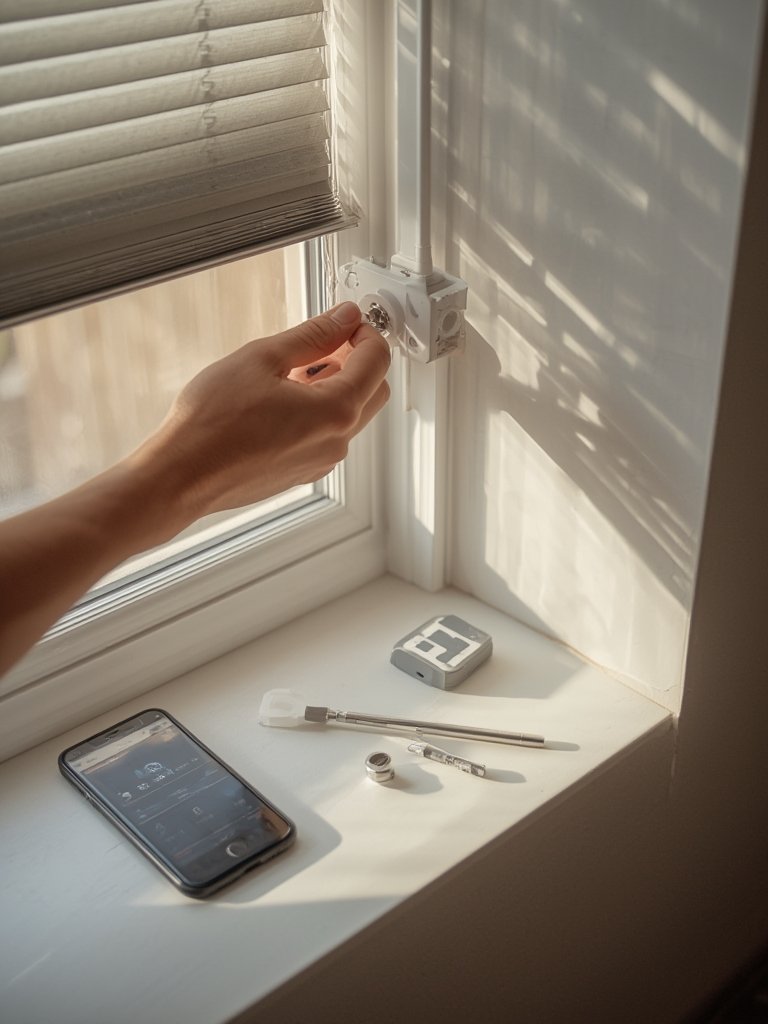
Extra recommendations:
- If you’re a DIYer, basic tools like a cordless drill, level, and screwdriver will suffice. For help buying or using the right gear, see our Ultimate Home Improvement Tools Guide.
- For high, wide, or hard-to-reach windows, a professional installer may be safer—especially if using specialty power tools or working near wiring.
- After installation, keep firmware updated through your app to receive security patches and performance improvements.
Advanced Analysis & Common Pitfalls
The leap from traditional window coverings to smart blinds is not without potential headaches. While most systems boast easy installation, real-life reviews highlight a few areas of concern (even if direct data on complaints is scarce):
| Aspect | Smart Blinds | Traditional Blinds |
|---|---|---|
| Initial Cost | High ($150–$500+ per window) | Low ($30–$120 per window) |
| Installation Complexity | Easy for roller kits; difficult for retrofits or unconventional windows | Low; standard tools and brackets |
| Ongoing Maintenance | Battery charging/replacement, firmware updates | Minimal; occasional cleaning |
| Integration | Wi-Fi, Zigbee, Z-Wave, voice assistants | None |
| User Complaints* | Connection drops, motor noise, app bugs (per anecdotal reports) | Cords, tangling, manual use |
*Public review data is limited; issues shown above are drawn from common themes in smart device installations.
- Connectivity Issues: Over 48% of smart blinds shipments are Wi-Fi-based, meaning a weak or unstable signal can interrupt schedules or remote operation. If your Wi-Fi isn’t reliable at every window, blinds may fail to respond when needed—frustrating during important privacy or security moments. Installing a Wi-Fi extender nearby or using Zigbee/Z-Wave models with a strong hub can solve this.
- Automation Failures: While integration with platforms like Alexa and Google Home is rapidly improving (source), app bugs and update lags can break routines. Set critical automations (like “close blinds at sunset”) with built-in timers as backup where possible.
- Retrofit Limitations: Retrofitting motors onto old blinds works only if your current setup matches the system’s size or bracket requirements. Odd shapes or heavy custom blinds often require full replacement or pro installation.
- Power and Battery Maintenance: No public data on real-world battery life, but expect 6-12 months per charge (average) for batteries. Factor in access for charging—especially outdoors or for hard-to-reach windows.
- Noise and Motor Quality: Entry-level motors may generate audible noise that can be distracting, especially in bedrooms or offices. Look for user reviews focusing on sound level if this matters to you.
- Cost vs. Traditional Blinds: Upfront costs are much higher. Still, automations can save on energy bills over time. While no precise ROI data is published, Wi-Fi-enabled blinds are preferred for their future-ready connectivity. If energy savings are a primary goal, combine with portable heat pumps and smart thermostats for optimal automation.
For help comparing other smart home upgrades and their pitfalls, the Ultimate Home Improvement Ideas 2025 post gives real-world insights into what works in today’s homes.

Conclusion
Smart blinds installation in 2024 can transform your comfort, boost energy efficiency, and make daily living more convenient—provided you understand the real installation process and common pitfalls. Remember, Wi-Fi-enabled blinds dominate the market, but integration, power maintenance, and initial costs require planning. With realistic expectations and by following the step-by-step guide above, you can succeed whether you’re installing a single shade or automating your entire home.
Ready to take the next step? Compare top-rated systems, check tool requirements, and review smart home compatibility before investing in smart blinds installation. Start your project with confidence and elevate your home’s intelligence today.
FAQ
Are smart blinds hard to install for beginners?
Most modern smart blinds, especially roller types, are DIY-friendly if you follow the included instructions and use the right tools. Retrofitting old blinds for motorization is more challenging and may not always be compatible. For complex jobs, professional installation is wise.
How do I know if smart blinds will work with my smart home platform?
Check for compatibility with Wi-Fi, Zigbee, or Z-Wave systems. The product packaging or manufacturer’s site will list supported platforms like Amazon Alexa, Google Assistant, or Apple HomeKit. Integration is improving each year, but double-check before buying.
What are the ongoing maintenance requirements?
Battery-powered models typically need charging or battery replacement every 6-12 months. Keep your app and firmware updated. Occasionally dust the blinds and check for loose brackets or parts.
Can installing smart blinds really save on energy bills?
If you automate blinds to block sunlight in summer and let heat in during winter, you can reduce heating and cooling loads. Actual savings depend on window placement, climate, and how well you automate schedules alongside other systems like HVAC or window insulation film.
What’s the most common frustration after installation?
Connectivity issues—dropped Wi-Fi connections prevent blinds from responding to schedules or app commands. A strong, stable Wi-Fi signal or using a dedicated home automation hub is critical. Firmware bugs can also cause headaches, so keep systems updated.